
If you’ve ever double-booked a room because your spreadsheet and your booking.com calendar didn’t match up, you already know why a hotel pms matters. It’s not a nice-to-have anymore — it’s the thing standing between you and a Saturday night spent apologizing to a guest in your lobby.
A hotel property management system (PMS) is the software that runs the operational side of your property: reservations, check-in/check-out, housekeeping, billing, and usually a connection to the online travel agencies you rely on for bookings. Many independent hotels still lean on spreadsheets, sticky notes, or software that hasn’t been updated since 2014. This guide walks through what a modern hotel PMS actually does, how to tell if you need one, and what to look for before you buy.
What Does a Hotel PMS Actually Do?
At its core, a hotel PMS is the central nervous system of your property. Every reservation, every room status change, every guest folio runs through it.
The Core Functions
- Reservation management — tracks bookings from every channel in one calendar
- Front desk operations — check-in, check-out, room assignments, folio billing
- Housekeeping coordination — room status updates in real time (clean, dirty, inspected, out of order)
- Channel management — syncs your availability across OTAs like Expedia and Booking.com
- Reporting — occupancy rates, RevPAR, ADR, and other numbers you need for decisions
A basic system might only handle reservations and billing. A cloud-based hotel PMS software platform typically bundles all of the above, plus a channel manager, into one dashboard you can access from a laptop, tablet, or phone.
Why Spreadsheets and Legacy Systems Fall Short
Many hotel owners tell us they started with spreadsheets because the property was small enough to manage by hand. That works fine at 8 rooms. It stops working at 20.
The problems usually show up in a few predictable ways:
- Double bookings from manually updating multiple OTA calendars
- Slow check-in because staff are searching for reservation details across systems
- No visibility into which rooms are actually ready for the next guest
- Manual rate updates across each channel, which eats hours every week and invites human error
A 22-room boutique property in Savannah we spoke with was updating four OTA calendars by hand every morning. After moving to a cloud PMS with a built-in channel manager, their front desk manager estimated she got back close to 6 hours a week — time she now spends on guest service instead of data entry.
Cloud PMS vs. On-Premise Hotel PMS: What’s the Difference?
This is one of the first forks in the road for owners shopping for a system.
On-premise systems run on a server physically located at your property. Cloud systems run on remote servers and are accessed through a browser. Here’s how they generally compare:
| Feature | Manual/Spreadsheet | On-Premise PMS | Cloud PMS |
|---|---|---|---|
| Real-time OTA sync | ❌ | ⚠️ Limited | ✅ Full |
| Remote access | ❌ | ❌ | ✅ Full |
| Upfront hardware cost | None | High | Low |
| Automatic updates | N/A | ❌ Manual | ✅ Automatic |
| Requires internet | No | No | Yes |
| Best For | Solo operator, 1-5 rooms | Large properties with IT staff | Independent hotels, growing properties |
Worth noting: cloud PMS does require a stable internet connection, and if your property has spotty service, that’s a real tradeoff to think through before switching.
Choosing the Right PMS for Your Property Size
Not every hotel needs the same tool. A 10-room bed and breakfast has different needs than a 60-room independent hotel with a restaurant and event space.
- Under 15 rooms: A simple cloud PMS with reservations and a basic channel manager is often enough
- 15–50 rooms: You’ll likely want housekeeping management, reporting, and multi-channel sync as standard
- 50+ rooms: Look for POS integration, group booking tools, and more advanced reporting
Pricing generally scales with room count and feature set, so it’s worth mapping your actual needs before comparing quotes — paying for a group-sales module you’ll never touch doesn’t help your margins.
How a Channel Manager Solves the Overbooking Problem
Overbooking is probably the single most stressful problem a PMS eliminates, so it deserves its own section.
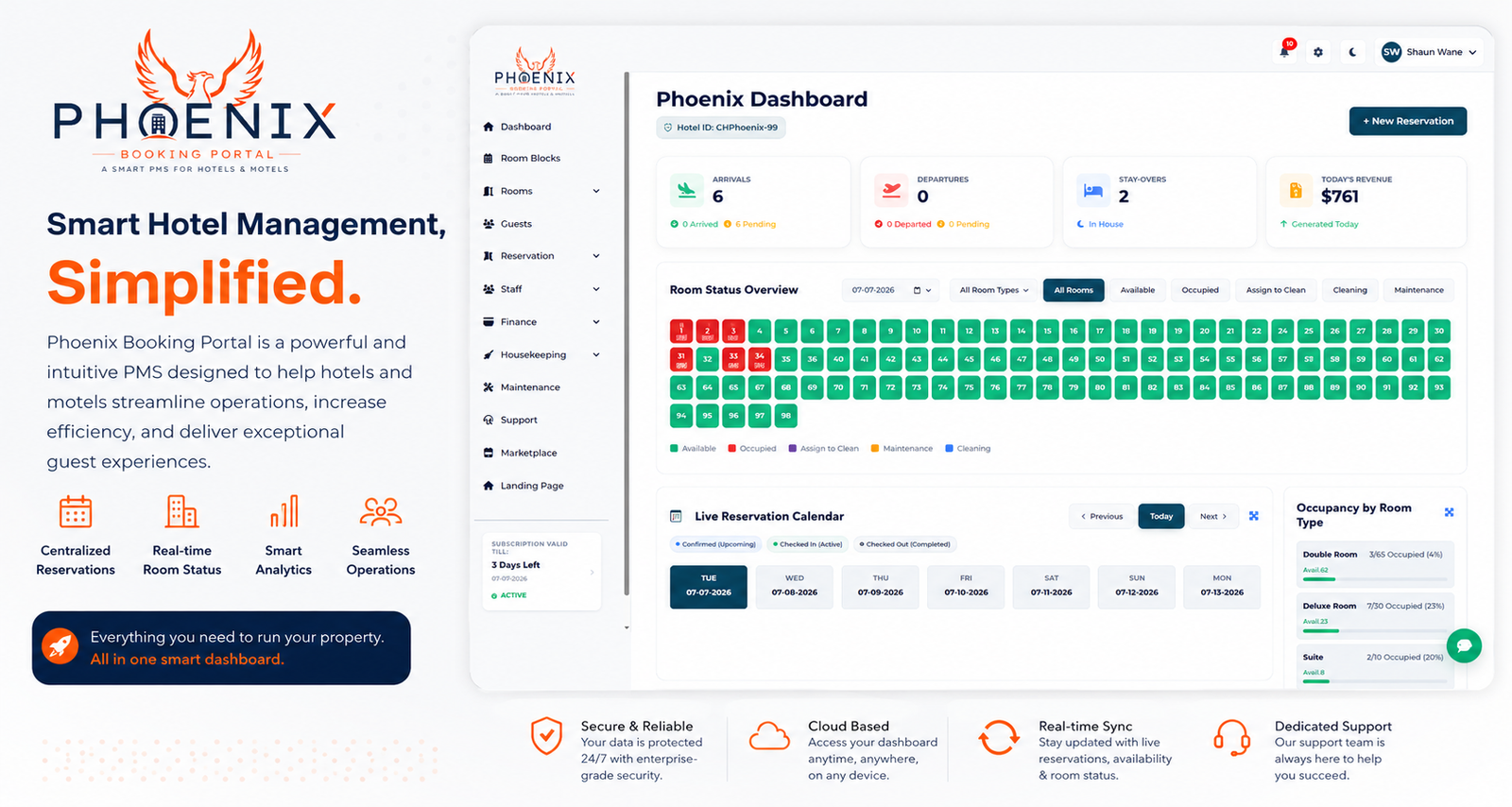
Without a channel manager, every time a room books on one OTA, someone has to manually block that date everywhere else. Miss that step once, and you’ve got two guests showing up for the same room. With Phoenix’s channel manager dashboard, availability updates across every connected OTA the moment a booking comes in — no manual blocking required.
This matters even more during peak season, when reservations can come in faster than a front desk team can manually track them. Hotels that automate this step tend to report overbooking incidents dropping close to zero within the first month or two of implementation.
Quick Answers: Hotel Property Management Systems
Q: What is a hotel PMS in simple terms? A: A hotel PMS (property management system) is software that manages a hotel’s day-to-day operations — reservations, check-in/out, housekeeping, and billing — in one central system instead of separate spreadsheets or paper logs.
Q: Do small hotels need a PMS? A: Yes, once a property grows past a handful of rooms. Manually tracking reservations across multiple booking channels becomes error-prone and time-consuming, and a basic cloud PMS is often affordable even for small independent hotels.
Q: What’s the difference between a PMS and a channel manager? A: A PMS manages overall hotel operations. A channel manager specifically syncs room availability and rates across OTAs like Expedia and Booking.com. Many modern hotel management software platforms include both in one system.
Q: How much does hotel PMS software cost? A: Pricing varies by property size and features, often ranging from a low monthly fee for small independent hotels to higher tiers for larger properties needing advanced reporting or POS integration. Ask vendors for transparent, per-room pricing.
Q: Can a hotel PMS prevent double bookings? A: Yes, when paired with a real-time channel manager. Availability updates across all connected booking channels the instant a reservation is made, closing the gap that causes most double bookings.
Getting Started: A Simple Implementation Checklist
Switching systems can feel daunting, but most hotels are up and running within a couple of weeks if they follow a clear process.
- Audit your current workflow — list every channel, tool, and manual step you use today
- Migrate historical data — guest records, upcoming reservations, rate plans
- Connect your OTAs — set up the channel manager before you go live, not after
- Train front desk staff — plan for at least a few practice run-throughs before launch day
- Run a parallel week — keep your old system as backup for the first week if possible
Hotels that follow a structured rollout like this tend to report a smoother transition than those who switch overnight without a trial period. If you want to see how this looks in practice, you can request a demo and walk through the setup with a real property as an example.
Frequently Asked Questions
Q: Is a cloud-based hotel PMS secure? A: Reputable cloud PMS providers use encrypted connections and secure data centers, generally offering stronger security than an on-premise server that isn’t professionally maintained. Ask any vendor about their data encryption, backup frequency, and compliance certifications before signing up.
Q: How long does it take to switch to a new PMS? A: Most independent hotels complete a full switch, including data migration and staff training, within one to three weeks. Larger properties with more integrations may need additional time for testing before going fully live.
Q: Will a PMS work with my existing website booking widget? A: Most modern hotel PMS platforms offer a booking engine that integrates directly with your website, or can sync with your existing widget through an API connection. It’s worth confirming compatibility with your specific website platform before purchasing.
Q: Do I need separate software for housekeeping? A: No, most full-featured hotel management software includes housekeeping tools built in, letting staff update room status from a phone or tablet in real time so the front desk always knows which rooms are ready.
Q: What happens if the internet goes down with a cloud PMS? A: This is a real limitation worth planning for. Some cloud systems offer limited offline functionality, but most require connectivity for full features. Ask vendors directly how their system handles outages before you commit.
Why the Right PMS Matters for Your Hotel
A hotel property management system isn’t about chasing the newest software — it’s about removing the manual busywork that eats into the hours you’d rather spend on guests. Whether you’re running a 10-room inn or a 60-room independent hotel, the right system should cut down on double bookings, speed up check-in, and give you a clearer picture of how your property is actually performing.
Ready to see what that looks like for your property? Phoenix Booking Portal offers a straightforward setup with transparent pricing — start your free trial and see how it fits your workflow.


Leave a Reply