

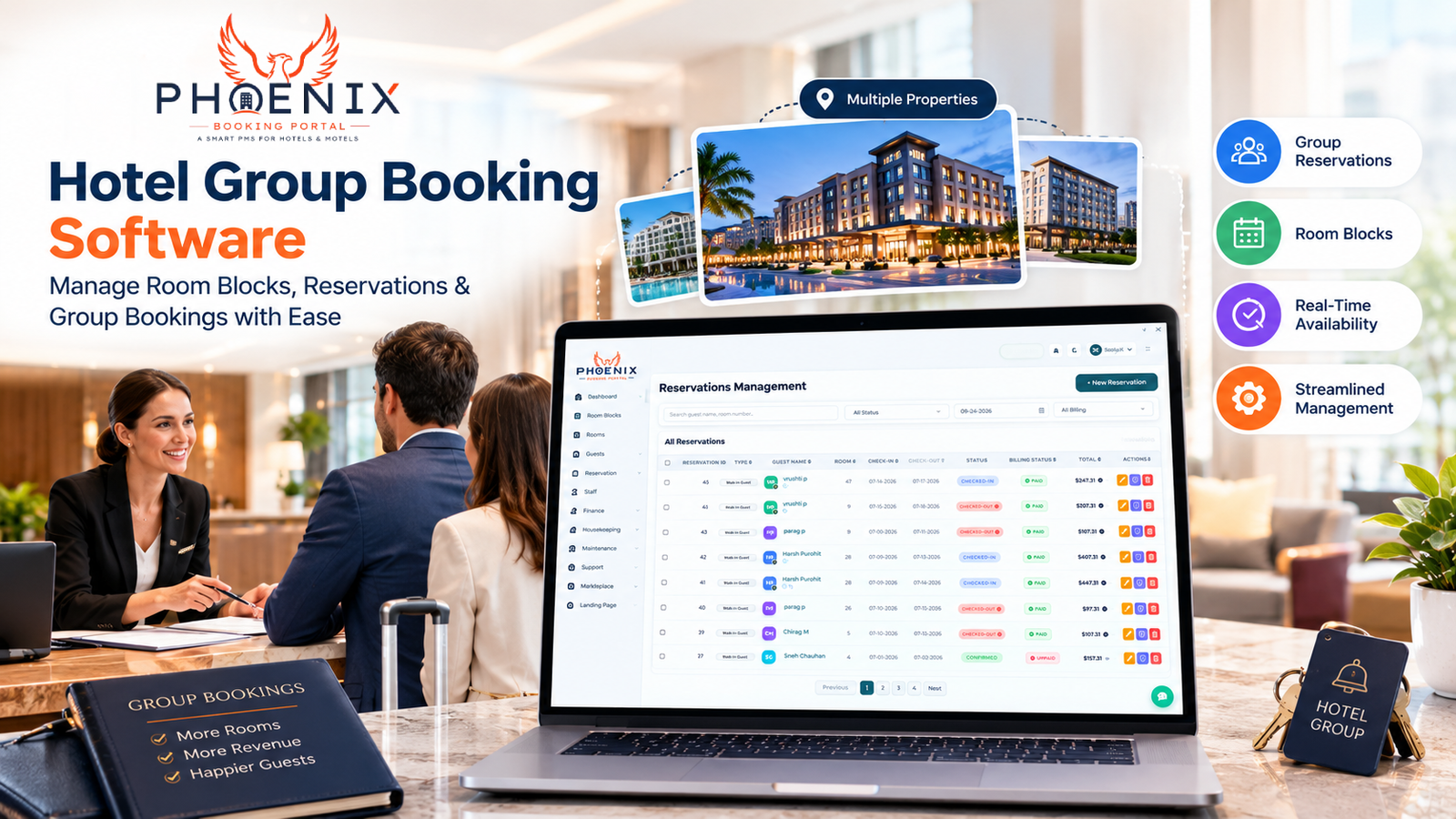
That moment when a wedding planner calls to book 50 rooms for a Saturday night… and you realize your current system can’t tell you if those rooms are actually available across all your room types. Or when a corporate client needs to modify their block three weeks out, and you spend hours manually updating spreadsheets while worrying about overbooking. This is where hotel group booking software can make a real difference, giving your team better visibility into room blocks, availability, and reservations across your properties.
If you’ve ever felt that sinking feeling when managing group reservations, you’re not alone. Many hotels still rely on a dangerous combination of spreadsheets, email chains, and hope to handle group bookings—a strategy that works fine until it doesn’t (usually right when that big convention calls to confirm their block).
Hotel group booking software isn’t just about making life easier for your sales team, it’s about capturing more revenue, reducing costly errors, and delivering the seamless experience that turns one-time group clients into repeat business.
In this guide, we’ll walk through exactly how modern hotels are transforming their group booking process from a pain point into a profit center. You’ll learn the specific features that prevent overbooking, how to automate the tedious parts of group management, and why the right software can increase your group revenue by 20-30% without adding a single salesperson.
Why Group Bookings Break Traditional Hotel Systems
Most hotel PMS systems were built around individual reservations—one room, one guest, one stay at a time. Group bookings, however, operate by completely different rules:
- Blocks vs. individual rooms: You’re not selling single nights; you’re managing a commitment of rooms over multiple dates
- Fluctuating pickup: Groups rarely take 100% of their block—you need to manage attrition and resell unsold rooms
- Complex rooming lists: Attendees need specific room types, special requests, and often arrive/depart on different schedules
- Multiple touchpoints: Sales, operations, front office, and billing all need access to different pieces of the puzzle
- Financial complexity: Deposits, attrition penalties, master bills, and split payments create accounting challenges
When your PMS treats a group booking like 50 individual reservations, you lose the ability to:
- See the block as a single entity with pickup goals and deadlines
- Automatically release unsold rooms based on cutoff dates
- Manage rooming lists efficiently
- Track financial milestones and penalties
- Provide a cohesive experience for the group coordinator
The result? Missed revenue opportunities, embarrassing overbooking situations, and frustrated clients who wonder why booking 50 rooms feels harder than booking 50,000.
Essential Features That Actually Work for Group Business
Not all “group booking” modules are created equal. Many are afterthoughts tacked onto traditional PMS systems. Here are the features that genuinely transform group hotel management:
True Block Management (Not Just a Reservation Tag)
Look for software that treats groups as first-class citizens with:
- Block lifecycle management: From tentative hold to confirmed, picked up, cut off, and closed
- Automatic attrition handling: Rooms automatically released to inventory based on your cutoff rules
- Date-flexible blocks: Ability to manage groups with varying arrival/departure patterns
- Multiple room type support: Blocks that span suites, standard rooms, and accessible rooms
- Group-specific rate plans: Negotiated rates that apply only to the block, not public inventory
Real-Time Availability and Pickup Tracking
The heart of effective group management is knowing exactly where you stand:
- Live pickup percentage: See exactly how many rooms have been booked vs. committed
- Pace reporting: Compare current pickup to historical groups and your forecast
- Cutoff date automation: Automatic release of unsold rooms as deadlines approach
- Overbooking protection: Hard stops preventing sales beyond your committed block
- Attrition management: Tools to resell unsold rooms before they become lost revenue
Streamlined Rooming List Management
Stop chasing attendees for information and start managing the process:
- Online self-service portals: Let group coordinators submit rooming lists directly
- Room assignment drag-and-drop: Visual tools for matching attendees to rooms
- Special request tracking: Flag ADA requirements, connecting rooms, and preferences
- Arrival/departure flexibility: Handle early arrivals, late departures, and day-use rooms
- Rooming list approval workflows: Ensure front office gets accurate information
Financial Management and Billing
Group bookings involve complex money moving at multiple stages:
- Deposit management: Track initial deposits, payment schedules, and refund policies
- Attrition fee automation: Calculate and apply penalties based on your contract terms
- Master bill generation: Create consolidated invoices for the group coordinator
- Split billing capabilities: Handle cases where different parties pay for different rooms
- Commission tracking: Manage third-party planner or agent commissions automatically
Communication and Collaboration Tools
Keep everyone on the same page without endless email chains:
- Automated status updates: Keep group coordinators informed of pickup progress
- Internal team notifications: Alert sales, operations, and front desk to changes
- Document storage: Keep contracts, menus, and event details attached to the booking
- Audit trails: See who changed what and when for accountability
- Mobile access: Allow sales teams to check block status while on-site with clients
The Comparison: Manual vs Basic vs Advanced Hotel Group Booking Software
See how different approaches stack up for handling a typical 100-room corporate block:
| Feature | Manual/Spreadsheet Approach | Basic PMS Group Module | Advanced Group Booking Software |
|---|---|---|---|
| Block Visibility | Separate spreadsheets per block | Limited to reservation view | Dedicated block dashboard with pickup tracking |
| Automatic Attrition | Manual tracking and release | Basic date-based release | Sophisticated rules with grace periods and approvals |
| Rooming List Management | Email attachments, manual entry | Basic spreadsheet import | Online portal with drag-and-drop assignment |
| Financial Tracking | Separate accounting system | Manual invoice generation | Automated billing, deposits, and attrition fees |
| Availability Protection | Risk of overbooking | Basic blocking, no real-time sync | Hard inventory controls with oversell prevention |
| Coordinator Communication | Phone and email chains | Template emails, manual sends | Automated updates and self-service portal |
| Reporting & Analytics | Manual compilation | Basic block reports | Pace reporting, forecasting, and historical comparisons |
| Mobile Access | None | Limited to property staff | Sales and coordinator mobile access |
| Best For | Hotels with <5 groups/month | Properties with simple, uniform groups | Hotels serious about growing group revenue |
Deep Dive: How Online Coordinator Portals Reduce Errors and Save Time
One of the most transformative features in modern group booking software is the online coordinator portal—a secure website where your group clients can manage aspects of their booking themselves.
Here’s how it works in practice:
- You create a group block in the system and generate a unique portal link
- You share that link with the wedding planner, corporate travel manager, or event coordinator
- They log in to:
- View their block details (dates, room types, rates, cutoff dates)
- Submit rooming lists through an intuitive interface
- Make rooming list changes up to your deadline
- Add special requests (ADA, connecting rooms, etc.)
- Review and approve estimated charges
- Access important hotel information (parking, dining, event spaces)
- Changes flow directly into your PMS—no re-entry required
- You get notified when they take action
Hotels implementing coordinator portals typically see:
- 60-80% reduction in rooming list errors (typos, missing information, late submissions)
- 40-60% less staff time spent on group administration
- Higher client satisfaction due to transparency and control
- Faster pre-arrival processing as information arrives complete and accurate
- Reduced front desk surprises at check-in
The key is making the portal genuinely useful—not just a data collection tool, but a resource that makes the coordinator’s job easier. When they see value in using it, compliance becomes automatic.
Implementation Best Practices: Setting Your Team Up for Success
Switching to dedicated group booking software requires more than just flipping a switch. Here’s how to ensure adoption sticks:
Start with Your Most Painful Group Type
Don’t try to boil the ocean. Begin with:
- The group type causing you the most headaches (weddings? corporate? tour groups?)
- Your highest-volume group segment
- The group type where errors cost you the most money
- Build confidence and refine your process before expanding
Involve All Stakeholders Early
Group bookings touch multiple departments—get them involved from the start:
- Sales: What do they need to sell more effectively?
- Operations/Front Office: What information do they need to prepare?
- Accounting/Finance: What financial tracking and reporting is required?
- IT: What integrations are needed with existing systems?
- Group Clients: What would make their experience better?
One hotel found that including front office staff in the selection process led to choosing a system with better rooming list tools—saving them 2 hours daily during check-in peaks.
Design Your Workflow Before Configuring the Software
Don’t let the software dictate your process. Instead:
- Map your current group booking process step by step
- Identify pain points and bottlenecks
- Design your ideal workflow
- THEN configure the software to support that process
- This prevents automating bad habits and ensures the tool serves your needs
Create Clear Internal SOPs
Even the best software fails without clear procedures. Document:
- Who creates new group blocks and when
- How tentative holds convert to confirmed blocks
- The process for managing amendments and cancellations
- Rooming list submission deadlines and follow-up procedures
- Financial milestones (deposit due dates, final payment, attrition assessment)
- Escalation procedures for issues and exceptions
Train for Roles, Not Just Features
Different team members need different training:
- Sales/Group Coordinators: Focus on creating blocks, managing pickup, using the coordinator portal
- Front Office: Focus on rooming lists, pre-arrival preparation, check-in procedures
- Accounting: Focus on financial tracking, invoicing, deposit management, and reporting
- Managers: Focus on reports, analytics, and exception handling
One management company found that role-based training reduced post-launch support tickets by 65% compared to feature-based training.
Quick Answers: Hotel Group Booking Software
Q: What is hotel group booking software?
A: Hotel group booking software is a specialized system designed to manage room blocks for events like weddings, conferences, and corporate gatherings. It provides tools for block management, rooming list coordination, financial tracking, and communication—all tailored to the unique needs of group business rather than individual reservations.
Q: How does Hotel group booking software prevent overbooking?
A: Group booking software prevents overbooking through hard inventory controls that reserve committed block rooms from general sale, automatic attrition based on cutoff dates, real-time pickup tracking that shows exactly how many rooms remain available, and safeguards that block sales beyond the committed block amount.
Q: Can Hotel group booking software handle complex rooming lists with special requests?
A: Yes, modern group booking software includes robust rooming list management features such as online submission portals, drag-and-drop room assignment tools, special request tracking (ADA, connecting rooms, preferences), arrival/departure flexibility, and approval workflows to ensure front office receives accurate information.
Q: How does group booking software improve the experience for event planners?
A: Group booking software improves the planner experience through self-service portals where they can view block status, submit rooming lists, make changes, and access hotel information; automated updates that keep them informed; reduced errors that prevent on-site surprises; and faster response times to inquiries and changes.
Q: What size hotel needs dedicated group booking software?
A: Hotels with as few as 5-10 group bookings per month typically see immediate benefits from dedicated group booking software. The ROI becomes clear through reduced errors, saved staff time, increased group revenue from better management, and improved client satisfaction leading to repeat business.
Q: How long does it take to implement group booking software?
A: Implementation timelines vary but typically range from 4-8 weeks for most hotels. This includes: 1-2 weeks for planning and process design, 1-2 weeks for software configuration and integration, 1-2 weeks for staff training, and 1-2 weeks for phased rollout and optimization. Hotels with complex existing processes or multiple system integrations may require longer timelines.
Implementation Checklist: Launching Effective Group Booking Management
Ready to transform your group booking process? Follow this roadmap:
Assessment Phase (Weeks 1-2)
- Analyze current group booking pain points and error rates
- Document your group booking workflow from inquiry to departure
- Identify key data points needed by sales, operations, and accounting
- Review your current group contract terms and policies
- Define success metrics (error reduction, time savings, revenue increase)
Selection Phase (Weeks 3-4)
- Request demos focused on your specific group types (weddings, corporate, etc.)
- Test the coordinator portal from a planner’s perspective
- Evaluate rooming list management capabilities
- Check financial management and billing features
- Verify integration capabilities with your PMS and other systems
Configuration Phase (Weeks 5-6)
- Set up your group block templates and rate plans
- Configure attrition rules and cutoff date automation
- Design rooming list fields and special request tracking
- Set up financial milestones, deposit schedules, and invoice templates
- Configure user roles and permissions for different team types
- Establish notification rules and automated communications
Integration Phase (Week 7)
- Connect to your PMS for real-time availability and inventory control
- Integrate with accounting systems for automated invoicing
- Set up connections to channel managers if applicable
- Configure payment gateway integration for deposit collection
- Test end-to-end flows from booking to departure
Training Phase (Weeks 8-9)
- Conduct role-based training for sales, front office, and accounting teams
- Create quick reference guides for common tasks
- Train on the coordinator portal and how to assist planners using it
- Run mock scenarios covering common group booking situations
- Prepare client communication materials introducing the new portal
Launch Phase (Weeks 10-12)
- Begin with a pilot group or two to work out kinks
- Gather feedback from internal teams and group coordinators
- Refine processes and configurations based on real usage
- Roll out to additional group types and increase volume
- Establish ongoing optimization and review procedures
Frequently Asked Questions
Q: Will our group coordinators actually use an online portal, or will they just email us anyway?
A: Adoption depends on making the portal genuinely useful—not just a data collection tool for you, but a resource that saves them time. The most successful portals allow coordinators to: view real-time block status, make changes independently, access hotel information, and get faster responses than through email. Hotels see 70-90% portal adoption when the tool provides clear value to the coordinator.
Q: How does group booking software handle attrition and resale of unsold rooms?
A: Advanced systems allow you to set attrition rules (e.g., 20% attrition allowed with shortfall charges) and cutoff dates. As cutoff dates approach, the system automatically releases unsold rooms to general inventory based on your rules. Some systems even offer dynamic attrition management where you can adjust release percentages based on pickup pace as the event approaches.
Q: Can we manage groups that span multiple room types and rate plans in one block?
A: Yes, quality group booking software supports mixed room type blocks (e.g., 20 standard rooms, 10 suites, 5 accessible rooms) with different rates for each room type within the same block. This is essential for events like weddings where you might need different accommodations for the bridal party, guests, and vendors.
Q: How do we handle group bookings that require food and beverage or event space coordination?
A: Many group booking systems include or integrate with event management modules that allow you to: attach event space bookings to room blocks, track F&B minimums and menus, manage audio-visual requirements, and create coordinated timelines. Look for systems that provide a unified view of both room and event requirements.
Q: What happens if a group needs to make changes after their rooming list deadline?
A: Most systems allow you to set different deadlines for different types of changes (e.g., rooming list changes allowed until 7 days out, name changes until 3 days out). The software enforces these rules while providing an audit trail of all changes. For post-deadline changes, you can establish approval workflows that require manager authorization.
Hotel Group Booking Software: Why It Matters for Your Hotel
Managing group reservations doesn’t have to mean living in fear of overbooking, chasing down rooming lists through endless email chains, or wondering if you’re leaving money on the table due to poor block management. The right hotel group booking software transforms this complex process into a streamlined, profitable operation that delights both your team and your clients.
Ready to turn your group booking process from a liability into your hotel’s most reliable revenue stream? Phoenix Booking Portal offers comprehensive group booking software designed specifically for hotels serious about capturing more group business. Start your free trial to experience how automated block management, online coordinator portals, and intelligent rooming list tools can save your team hours each day while increasing your group revenue and client satisfaction.


Leave a Reply