
Here’s a number that might sting a little: the average independent motel manager spends 11 hours per week manually entering reservations, updating spreadsheets, and untangling double bookings. That’s more than a full working day lost to tasks a good motel management software could handle automatically.
If you’re running a 10 to 40-room property, you already know the drill. A guest calls to book a room. You jot it in a notebook. Five minutes later, someone books the same room on Booking.com. Now you’ve got an overbooking, an awkward phone call, and potentially a one-star review.
This guide covers everything you need to know about motel property management systems: what they actually do, how to choose one, what they cost, and how to implement one without disrupting your daily operations. Whether you’re moving off pen and paper or upgrading a clunky legacy system, you’ll leave with a clear action plan.
What Does Motel Management Software Actually Do?
Let’s start with the basics. Motel management software (often called a motel PMS, or property management system) is the digital hub of your operation. Think of it as your front desk, your calendar, your ledger, and your housekeeping whiteboard all in one place.
At its core, motel reservation software handles the reservation lifecycle:
- Capturing bookings from your website, phone calls, and online travel agencies (OTAs)
- Managing room inventory so you never sell a room twice
- Automating guest communications like confirmation and check-in emails
- Tracking housekeeping status in real time
- Handling payments and invoicing without manual card entry
- Generating reports on occupancy, revenue, and ADR (average daily rate)
A modern cloud-based motel booking software does all this in a browser. No server in your back office. No IT consultant on speed dial. You log in from the front desk, your home laptop, or even your phone.
Why Spreadsheets and Paper Are Costing You Real Money
We get it spreadsheets feel free. And paper feels simple. But hidden costs add up fast.
Take the double-booking example. A typical independent motel in the U.S. running 70% occupancy through OTAs can experience 2-4 overbookings per month with manual tracking. Each one costs you an alternative room booking, a relocation fee, or a refund often $80–$150 per incident. That’s potentially $4,000-$7,000 a year in losses.
Then there’s the time cost. A front desk manager at a 30-room property in Colorado we spoke with was spending every morning reconciling three OTA extranets by hand. After switching to a motel management system with a built-in channel manager, she got 90 minutes back every single morning. Over a year, that’s more than 22 full working days.
Spreadsheets also break quietly. A deleted row. A formula overwritten. A room marked “available” that was actually being deep-cleaned. These aren’t dramatic failures they’re slow leaks in your revenue.
Cloud PMS vs. On-Premise: What’s Right for Your Motel?
This is one of the most common questions owners ask, and honestly, for most motels today, the answer is cloud. But it’s worth understanding the tradeoffs.
Cloud motel property management system:
- Runs in your browser, nothing to install
- Updates happen automatically
- Access from anywhere (your phone, home, another property)
- Monthly subscription pricing (typically $100–$400/month depending on room count)
On-premise/legacy PMS:
- Installed on a computer at your front desk
- One-time license fee (often $3,000–$10,000+)
- You handle updates, backups, and hardware failures
- Tied to that specific machine
The tradeoff? A cloud motel management system requires a stable internet connection. Most platforms offer offline modes for check-ins during outages, but if your property has genuinely unreliable connectivity, that’s worth discussing with any vendor before signing up.
For a 15-room roadside motel with one front desk, cloud is almost always the practical choice. You’re not buying servers or hiring IT support you’re paying a predictable monthly fee and getting enterprise-grade tools.
Key Features to Look for in Motel PMS Software
Not all systems are built for motels specifically. Hotel platforms designed for 200-room resorts often include features you’ll never use (and pay for anyway). Here’s what actually matters at your scale:
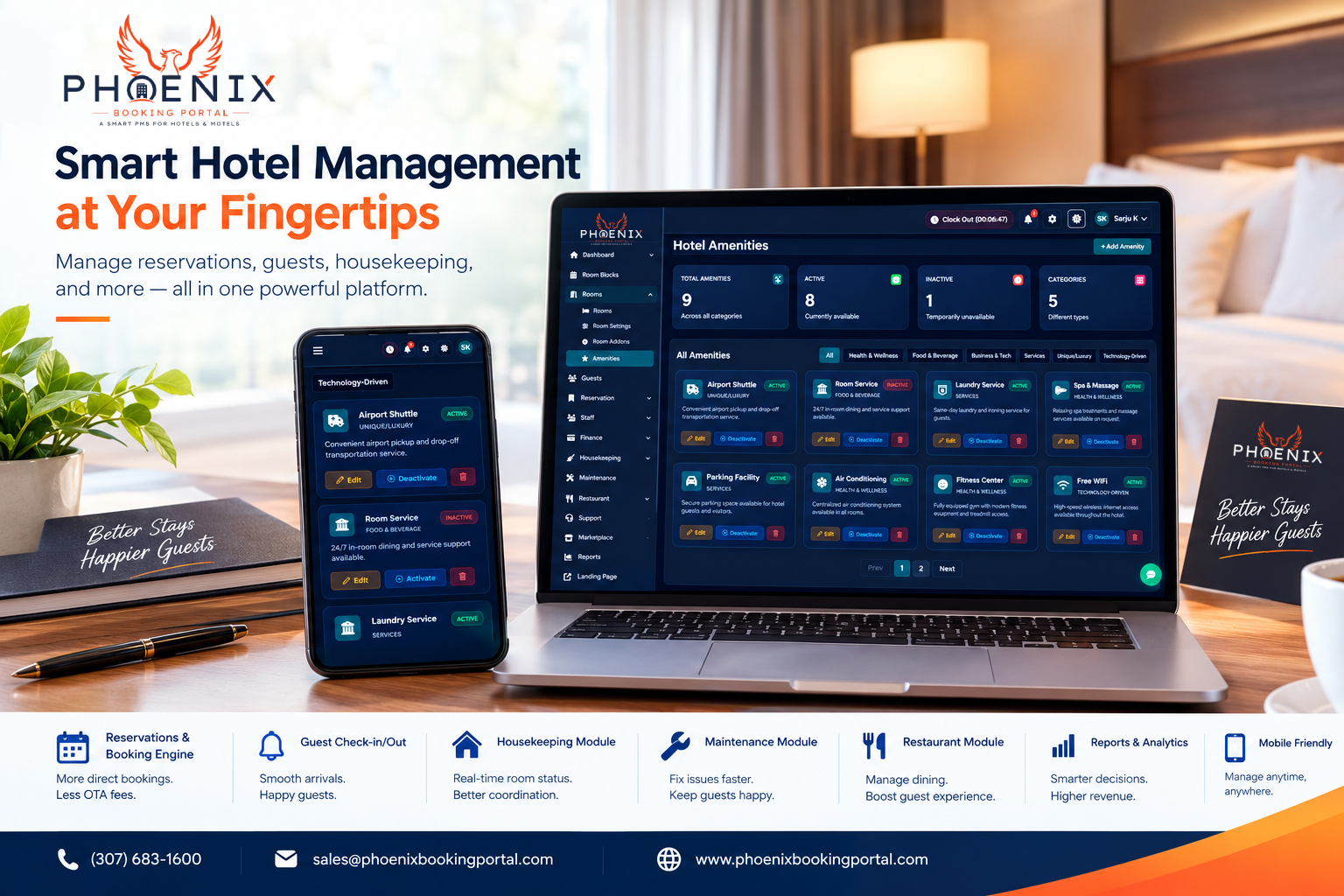
- Channel manager integration — Syncs availability across Booking.com, Expedia, Airbnb, and your own website automatically
- Booking engine — Lets guests book direct on your site, cutting OTA commissions (typically 15–25%)
- Automated guest messaging — Pre-arrival emails, check-in instructions, and post-stay review requests
- Housekeeping module — Real-time room status your cleaners can update from a phone
- Simple reporting — Occupancy, revenue, and ADR at a glance, not buried in 40-page exports
- Rate management — Easy seasonal pricing without spreadsheets
- Payment processing — Integrated card payments and deposits
One practical note: avoid systems that charge per user. At a motel, your GM, front desk staff, and owner might all need access. Per-user pricing quietly doubles your costs.

Manual vs. Basic vs. Cloud PMS: A Head-to-Head Comparison
Table
| Feature | Manual/Spreadsheet | Basic PMS | Cloud PMS |
|---|---|---|---|
| OTA channel sync | ❌ Manual entry | ⚠️ Limited | ✅ Full |
| Overbooking protection | ❌ None | ⚠️ Partial | ✅ Automatic |
| Direct booking engine | ❌ None | ⚠️ Add-on cost | ✅ Included |
| Mobile access | ❌ None | ⚠️ Rare | ✅ Any device |
| Automatic guest emails | ❌ None | ⚠️ Templates only | ✅ Full automation |
| Best For | Solo operator, under 8 rooms | Small hotels with one OTA | Growing properties, 3+ channels |
The pattern is clear: manual methods work until you list on more than one OTA. Once you’re managing Booking.com, Expedia, and direct bookings simultaneously, a cloud motel management system pays for itself in recovered hours alone.
How Automated Reservations Directly Protect Your Revenue
Let’s zoom in on the feature that delivers the fastest ROI: automated channel management and reservations.
Here’s how overbookings actually happen. You have 12 rooms. Booking.com shows 12 available. Expedia shows 12 available. Your website shows 12 available. A guest books the last room on all three within a 20-minute window because none of them talked to each other. Now you owe someone an apology and a solution.
A motel booking software with a channel manager eliminates this entirely. When a booking comes in from any source, availability updates everywhere within seconds. The math is straightforward: if a motel management system prevents even two overbookings a month at $100 each, plus saves 5 hours of front desk time weekly, most platforms pay for themselves before the 15th of each month.
Real example: a 22-room motel outside Phoenix was running 85% occupancy in winter but drowning in OTA reconciliation. After implementing automated reservations through Phoenix’s channel manager setup, they cut manual entry to near zero and increased direct bookings by 18% in six months worth roughly $9,000 in saved commissions annually.
Want to see how automated channel management works for your specific room count? Phoenix offers transparent, per-property pricing with no per-user fees.
Implementation: A 5-Step Plan That Won’t Disrupt Operations
The biggest fear owners have? “What happens to my existing bookings during the switch?” Fair question. Here’s a migration plan that keeps your operation running:
1. Audit your current data (Week 1) Export your reservations, guest database, and rate plans. Clean up duplicates now migrating messy data just moves the mess.
2. Set up your room inventory (Week 2) Create your rooms, room types, and base rates in the new system. Add your seasonal pricing rules.
3. Connect your channels (Week 3) Link Booking.com, Expedia, and other OTAs through the channel manager. Run a parallel test: keep your old system live while you verify bookings sync correctly for 3–5 days.
4. Migrate future bookings (Week 3–4) Enter upcoming reservations (usually the next 30–60 days) into the new system. Cancel listings on old channels as the new ones take over.
5. Train your team (Week 4) Two hours of training is usually enough for front desk staff. Most cloud systems are genuinely intuitive if your team can use a smartphone, they can use a modern PMS.
Properties that follow a structured rollout typically go fully live in 3–4 weeks with zero lost reservations. That’s not marketing speak it’s just what happens when you migrate in stages rather than flipping a switch overnight.
Quick Answers: Motel Management Software
Q: What is motel management software? A: Motel management software is a digital system that handles reservations, room availability, guest communications, housekeeping, and payments for small lodging properties. It replaces spreadsheets and paper ledgers, syncing bookings across your website and OTAs like Booking.com automatically.
Q: How much does motel PMS software cost? A: Most cloud-based systems charge $100–$400 per month depending on room count and features. Some include channel management and booking engines; others charge separately. Watch for per-user fees, which can significantly increase your total cost.
Q: Can I manage my motel PMS from my phone? A: Yes. Modern cloud motel management systems work in any browser, including mobile. You can check reservations, update room status, and message guests from anywhere with an internet connection.
Q: Will motel reservation software prevent overbookings? A: Yes, if it includes a channel manager. The system updates availability across all connected booking sites within seconds of a reservation, so a room sold anywhere is immediately unavailable everywhere else.
Q: How long does it take to switch to a new motel management system? A: A typical migration takes 3–4 weeks including setup, channel connections, and booking data transfer. Running a short parallel period with your old system ensures nothing falls through the cracks.
Frequently Asked Questions
Q: Do I need motel management software if I only have 10 rooms? A: Honestly? It depends on your booking volume. If you only take phone bookings and don’t list on OTAs, a simple calendar might work. But the moment you list on Booking.com or Expedia, manual management becomes risky. Even small properties benefit from automated syncing a single overbooking can cost more than a month of software fees.
Q: What’s the difference between a PMS and a channel manager? A: A PMS is your central operations hub reservations, housekeeping, guest data, reporting. A channel manager connects that hub to OTAs. Many modern motel booking software platforms include both. You want them integrated, not as separate tools that require manual syncing.
Q: Will motel management software work with my existing website? A: In most cases, yes. Cloud PMS platforms provide a booking engine you can embed on any website, often with a simple link or iframe. Some also integrate with WordPress and popular site builders. If your site is very old, a booking link or standalone booking page is a workable alternative.
Q: Can the software handle long-term and monthly stays? A: Good question, motels get more extended stays than hotels do. Most quality motel PMS systems support extended-stay rates, weekly/monthly pricing rules, and deposit scheduling. Confirm this with any vendor during your demo, especially if extended stays represent more than 20% of your revenue.
Q: Is my guest data secure with a cloud-based system? A: Reputable vendors encrypt data in transit and at rest, run regular backups, and host on secure infrastructure (often AWS or Google Cloud). Ask any vendor about their backup frequency, data ownership terms, and what happens to your data if you cancel. You should always be able to export your full guest database.
Q: Do I need to sign a long-term contract? A: Not with most modern platforms. Many motel property management systems offer month-to-month pricing. Be cautious of vendors requiring 12+ month commitments before you’ve tested the system a confident vendor doesn’t need to lock you in.
Phoenix Booking Portal: Why It Matters for Your Motel
Here’s the bottom line: the right motel management software gives you back your time, protects your revenue from double bookings, and helps guests book direct instead of paying OTA commissions on every stay.
You don’t need the most expensive system on the market. You need one that’s built for properties your size, connects your channels without drama, and doesn’t charge you extra every time you add a staff login.
If you’re ready to see what that looks like in practice, you can start your free trial with Phoenix Booking Portal setup takes days, not months, and you’ll keep your existing bookings throughout the transition. Or if you’d rather talk through your specific setup first, schedule a demo and we’ll walk you through it.
Your front desk has better things to do than reconcile spreadsheets.


Leave a Reply