
If you have ever spent a Sunday morning cross checking a paper reservation book against three different booking site inboxes, you already know why this topic matters. Hotel automation software is the general term for tools that handle reservations, guest communication, housekeeping, and pricing without someone manually updating five spreadsheets at once. It is not one single product. It is a category, and it covers everything from simple booking calendars to full hospitality management software platforms that run a property end to end. This guide walks through what it actually does, what problems it solves, and how to think about choosing the right level of automation for your property.
What Hotel Automation Software Actually Does
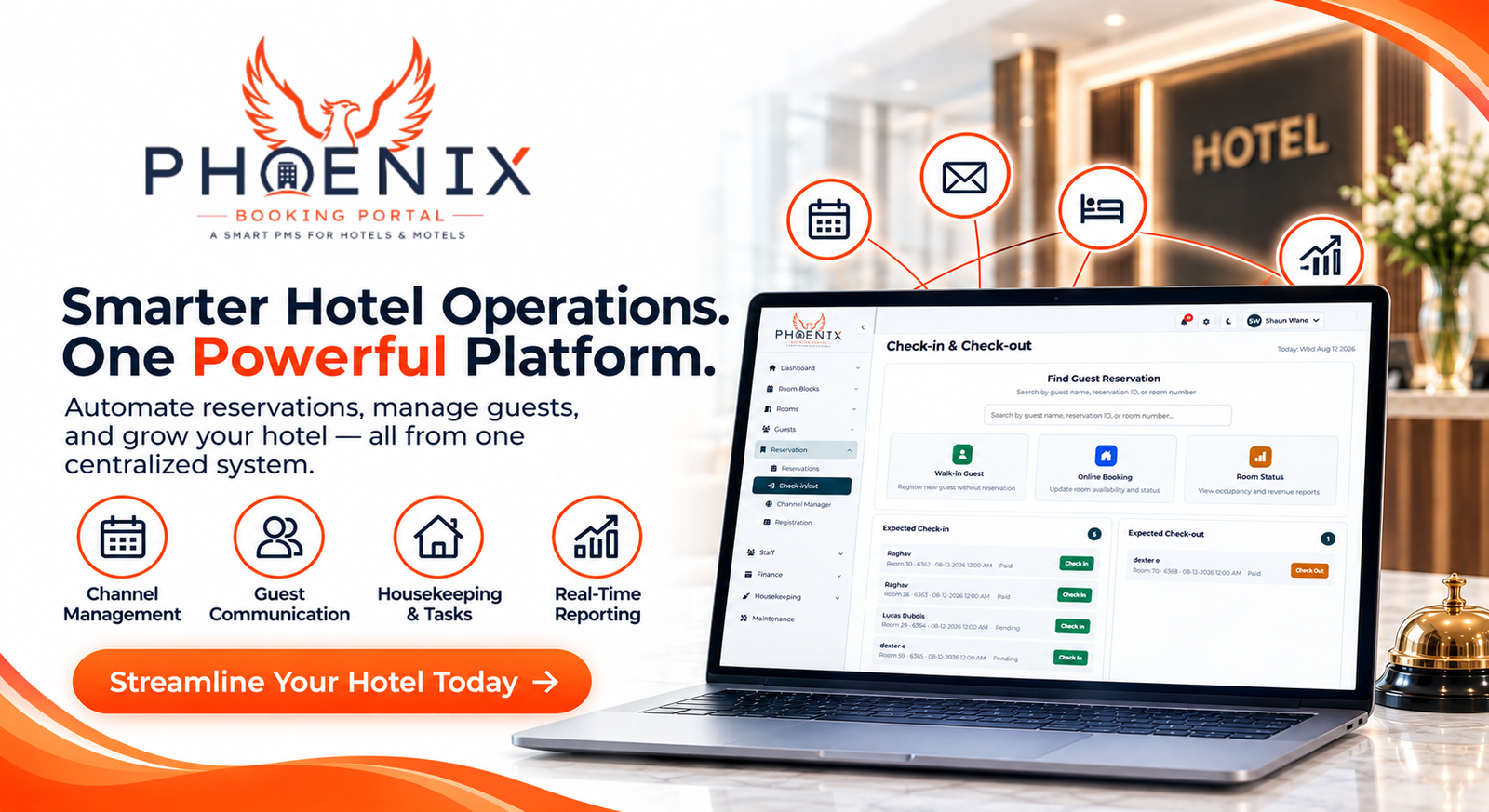
At its core, hotel automation software connects the tasks that used to live in separate places (a booking calendar, an email inbox, a housekeeping checklist, a spreadsheet of rates) into one system that talks to itself.
That usually means:
- Reservations made on your website or an OTA update your calendar automatically
- Room rates adjust across every channel at once instead of one at a time
- Guests get confirmation, check in instructions, and reminder messages without a staff member typing each one
- Housekeeping and maintenance tasks get assigned and tracked digitally
Many hotel managers tell us the appeal is not the technology itself. It is getting a few hours of their week back that used to disappear into repetitive admin work.
The Real Problems It Solves for Hotel Owners
Automation is not just a nice to have. For a lot of independent hotels, it is the difference between catching a booking conflict before a guest shows up and finding out about it at the front desk.
Double bookings and overbooking. When reservations from Booking dot com, Expedia, and your own website all update the same calendar in real time, the odds of accidentally selling the same room twice drop sharply. A 30 room inn outside Asheville that switched from a shared spreadsheet to a synced channel manager reported cutting double bookings from roughly two a month down to almost none within the first quarter.
Slow, repetitive guest communication. Pre arrival emails, checkout reminders, and review requests can run on autopilot instead of taking staff time every single day.
Pricing that never adjusts. Static rates mean you are either underpriced during high demand or sitting on empty rooms during a lull. Automated rate rules react to occupancy trends without someone staring at a dashboard all day.
Fragmented recordkeeping. When reservations, guest notes, and payment records live in separate tools, small errors add up. One system reduces how often information falls through the cracks.
Core Features Worth Understanding
Not every hotel needs every feature on day one. But knowing what exists helps you figure out what you are actually paying for.
Channel Management
This keeps your availability and pricing consistent across every OTA and your direct booking site. Without it, someone has to manually update each platform every time a room sells, which is exactly the kind of task that gets missed during a busy weekend.
Reservation and Front Desk Tools
Digital check in, guest profiles, and folio management replace the paper trail. A 22 room boutique property in Denver brought check in time down from around 15 minutes to under 3 minutes after moving guest registration onto a tablet based system, mostly because returning guest information was already saved.
Housekeeping and Task Coordination
Mobile task lists let housekeeping staff mark rooms clean, out of order, or ready for inspection in real time, so the front desk is not guessing which rooms are actually available. This is one area where Phoenix’s housekeeping dashboard tends to save the most staff hours, since it removes the back and forth phone calls between departments.
Reporting for hotel automation software
Occupancy, ADR, and RevPAR reports that used to take an afternoon to compile manually can generate automatically, which matters most for owners managing more than one property.
Manual Process vs Basic PMS vs Cloud PMS
| Feature | Manual / Spreadsheet | Basic PMS | Cloud PMS |
|---|---|---|---|
| Real time OTA sync | No | Limited, often delayed | Yes |
| Automated guest messaging | No | Partial | Yes |
| Mobile housekeeping updates | No | Rarely included | Yes |
| Multi property reporting | Manual compiling | Limited | Yes |
| Access from any device | No | Usually desktop only | Yes |
| Best for | Solo operator, very low volume | Small hotels with steady, simple bookings | Growing or multi property operations |
Worth being upfront about the tradeoff: cloud based systems need a stable internet connection to run smoothly, and switching from a manual process takes some setup time. That is a real cost, not a reason to avoid it, but it is worth planning around rather than ignoring.
Quick Answers: hotel automation software
Q: What is hotel automation software? A: It is software that handles reservations, pricing, guest messaging, and housekeeping tasks automatically instead of requiring manual updates across separate tools. It typically connects your booking calendar, OTAs, and front desk operations into one system.
Q: Is hotel automation software the same as a PMS? A: Not exactly. A property management system, or PMS, is one type of hotel automation software. Automation software is the broader category, which can also include standalone channel managers, messaging tools, or housekeeping apps.
Q: How much does hotel automation software cost? A: Pricing varies widely by property size and feature set, often ranging from under 100 dollars a month for small properties to several hundred for larger, multi property operations. Most providers offer tiered plans based on room count.
Q: Do small independent hotels actually need this? A: Properties with more than a handful of rooms or multiple booking channels usually benefit, since manual tracking becomes error prone quickly. Very small, single channel operations may get by longer without it.
Q: Does automation replace hotel staff? A: No. It removes repetitive administrative tasks so staff can spend more time on guest service and problem solving rather than data entry.
What Implementation Actually Looks Like
Switching systems feels bigger than it usually is in practice. Here is a realistic sequence:
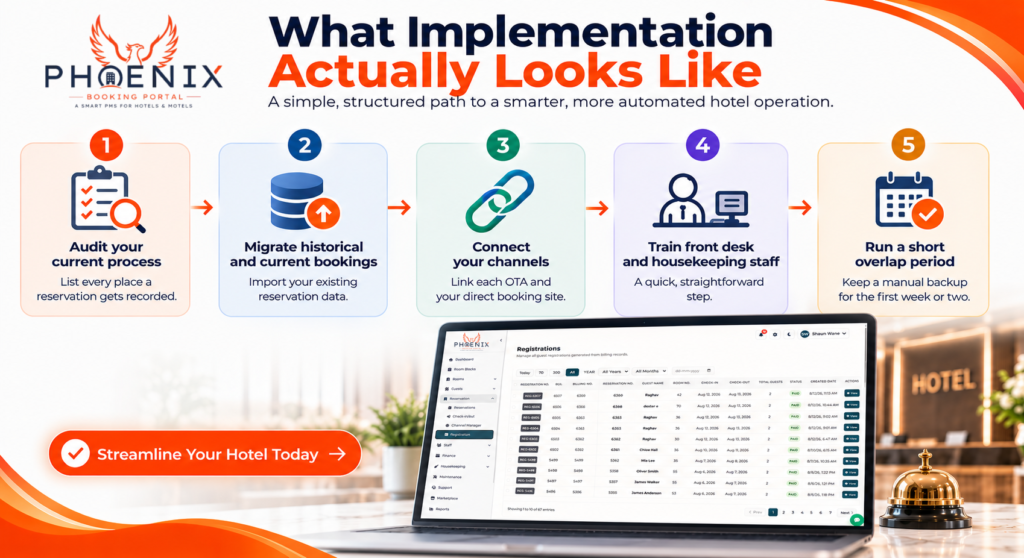
- Audit your current process. List every place a reservation currently gets recorded, from your website to your OTA inboxes to any paper logs.
- Migrate historical and current bookings. Most providers will import your existing reservation data rather than making you start from zero.
- Connect your channels. Link each OTA and your direct booking site so availability syncs automatically.
- Train front desk and housekeeping staff. This is usually the shortest step, often a single afternoon, since most modern systems are built to be simple.
- Run a short overlap period. Keep a manual backup for the first week or two while staff get comfortable.
Properties that follow a structured rollout like this typically report a smoother transition and fewer booking errors in the first month compared to switching everything over in a single day. If you want to see how this looks with Phoenix’s reservations dashboard specifically, you can request a demo before committing to anything.
Frequently Asked Questions
Q: How long does it take to set up hotel automation software? A: Most independent hotels can get a basic setup running within a few days, including channel connections and data migration. Full staff training and a comfortable transition typically take two to three weeks, depending on how many channels and room types you manage.
Q: Will automation software work with the OTAs I already use? A: Most established platforms connect with major OTAs like Booking dot com, Expedia, and Airbnb. It is worth confirming specific integrations before choosing a provider, since coverage does vary between smaller and larger platforms.
Q: Can I still take phone or walk in reservations with automated software? A: Yes. Automation handles the syncing in the background, so a reservation entered manually by staff at the front desk updates the same calendar as one booked online, keeping everything in one place.
Q: What happens if the internet goes down? A: This is a genuine limitation of cloud based systems. Most providers offer some offline functionality for check ins, but full syncing pauses until connectivity returns, which is worth planning for if your area has unreliable service.
Q: Is hotel automation software only useful for large hotel chains? A: No. Independent hotels and small properties are often the ones who benefit most, since they usually do not have a large administrative staff to absorb manual work the way a bigger chain might.
Phoenix Booking Portal: Why It Matters for Your Hotel
Hotel automation software will not fix a struggling property overnight, but it does remove a lot of the manual work that eats into a team’s day, from syncing calendars to chasing down guest messages to tracking housekeeping status by hand. For most independent and small chain hotels, the right system pays for itself in reclaimed staff time within the first few months.
Ready to see what that looks like for your property? You can start your free trial with Phoenix Booking Portal and get your reservations, housekeeping, and channel management running from one dashboard, no long term contract required.


Leave a Reply